
Open source · BYOK · Built by SiliBlue
Build the playbook.Test it.Then run it.
PlayBook Builder is our in-house, open-source tool that turns a plain-language goal into a detailed, executable, testable, reusable AI playbook. Bring your own key: cloud models you already pay for, or local models on your own machine.
The pipeline
Build first. Test second. Execute third.
It refuses to shortcut straight to an answer. The same pipeline runs whether the model is on your machine or behind your own API key.
What you get
Everything a production playbook needs.
Intent discovery
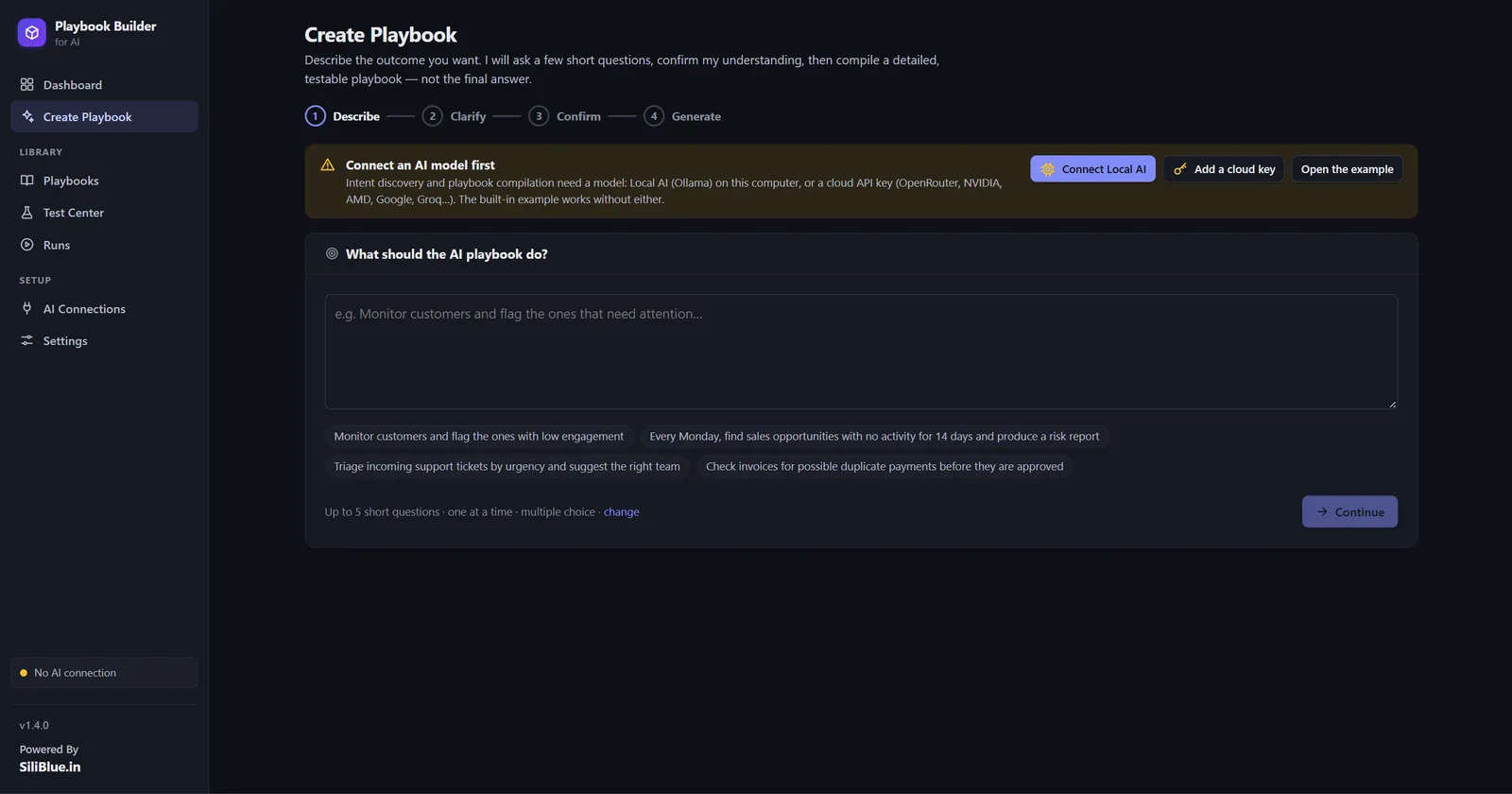
A short adaptive interview, one question at a time. It never re-asks what it already knows and shows the confirmed intent, with assumptions, before anything is compiled.
A compiler that refuses to shortcut
You get the procedure, never a throwaway answer. Anti-shortcut rules, a 16-point quality gate and a repair loop stand behind every playbook it writes.
Test Center
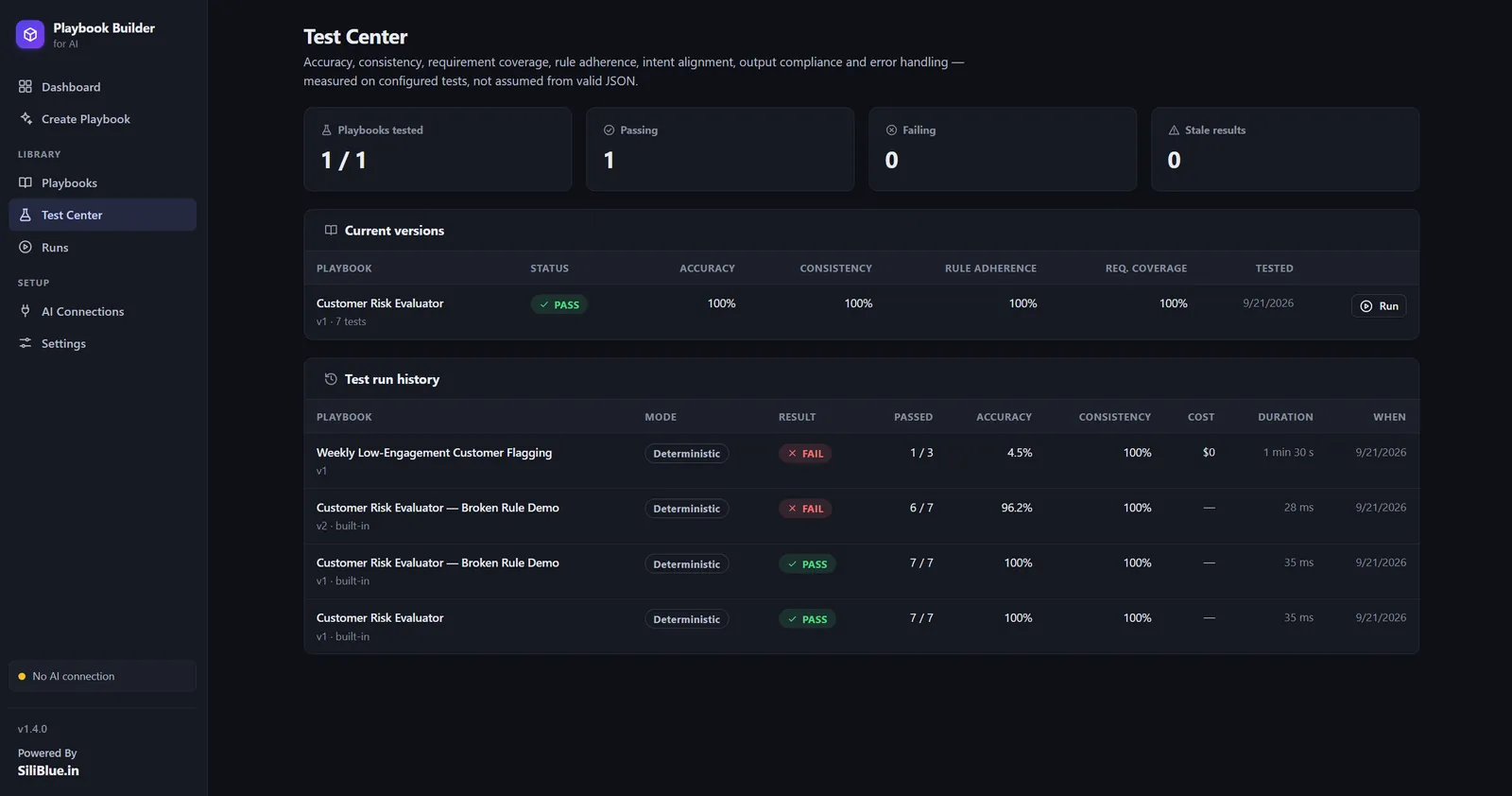
Deterministic fixture and AI execution modes plus repeatability runs. Accuracy, consistency, rule adherence, requirement coverage and output compliance, scored PASS, WARNING or FAIL.
Tests written from your requirements
Normal, boundary, negative, missing-data and edge cases are generated from your stated intent, so expectations come from the requirement, not from possibly buggy rules.
Regression and repair
Failures are traced to the exact step and rule. Fixes arrive as JSON Patches, verified by re-running the suite on a patched copy, and nothing changes until you approve.
Safe lifecycle
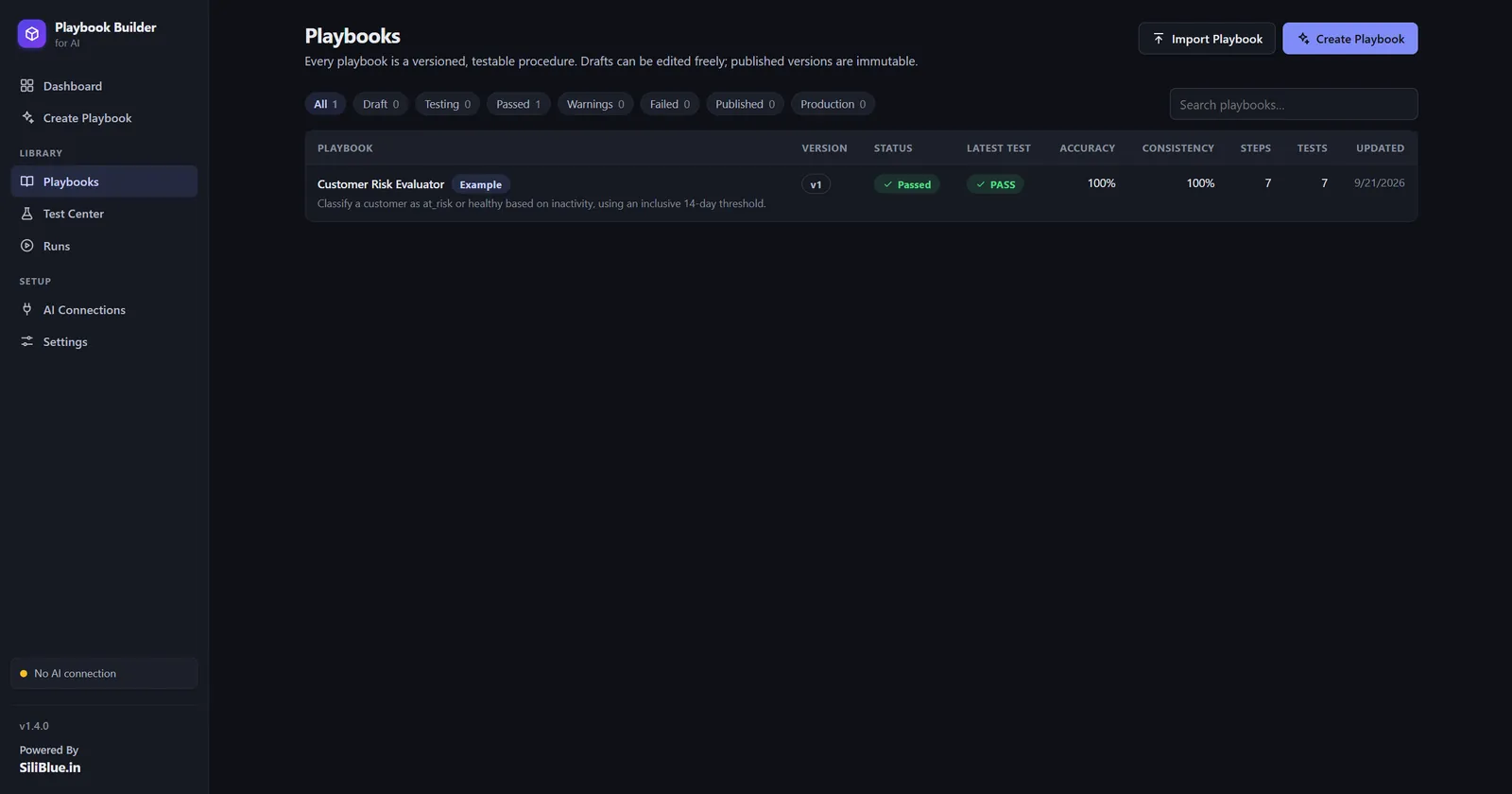
Draft, Testing, Passed, Published, Production. Published versions are immutable, and publishing requires the quality gate plus a fresh passing full-suite run.
Execution engine
Sandbox and production runs, deterministic or AI execution, per-step traces and logs, human approval gates, scheduled runs and webhook triggers.
Visual workflow and exports
A layered graph with decision branches and the path each run actually took. Markdown, PDF and JSON exports, and a self-contained workspace folder per playbook you can zip and share.
Inside the app
Screenshots from the real thing.
No mockups here. Every screen below is the app you get when you clone the repo and runnpm run dev.
One screen, the whole lifecycle
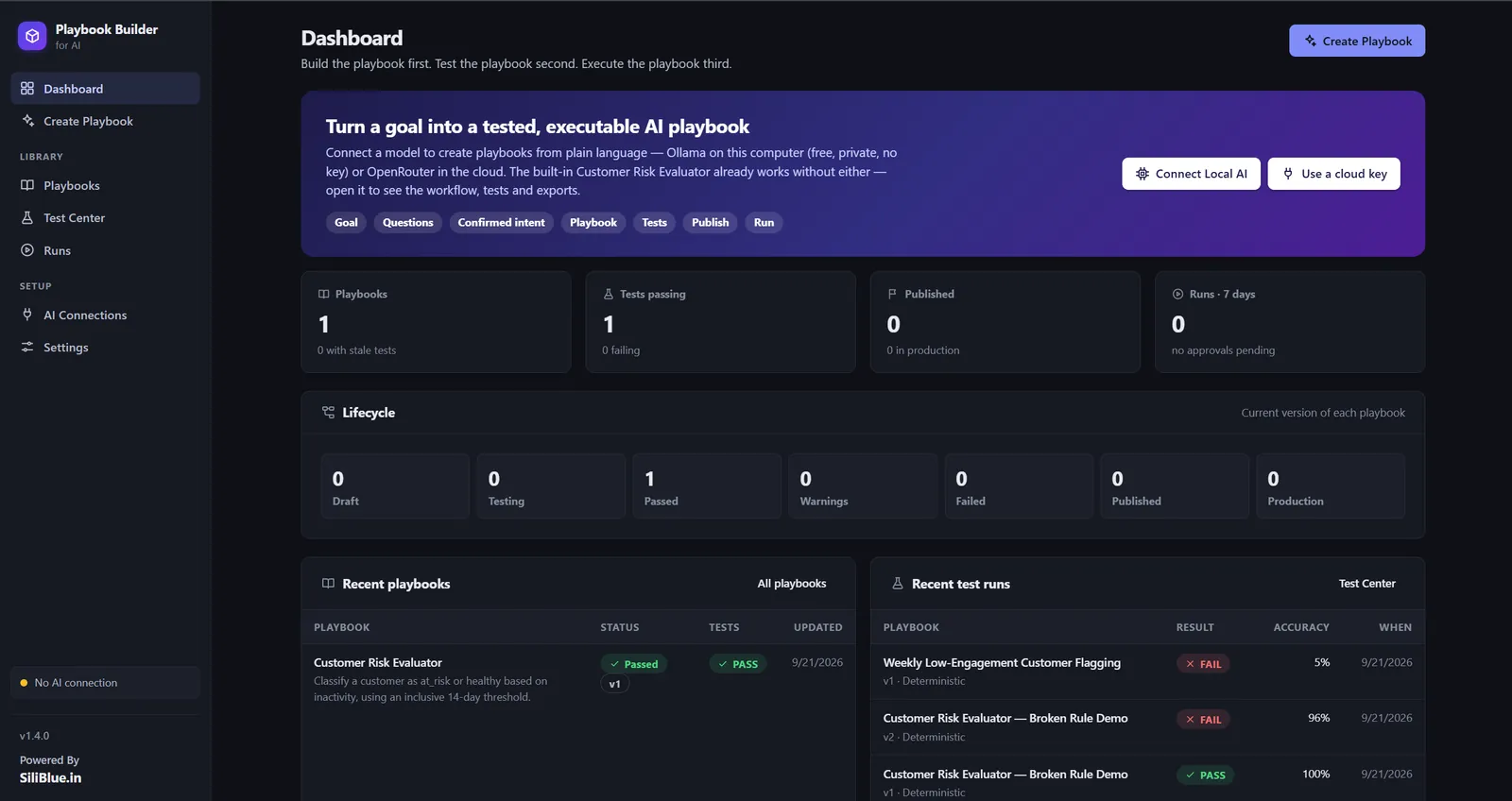
This is mission control. Counts across Draft, Testing, Passed, Published and Production show where every playbook stands, and the run list shows what executed last. When something drifts, you see it here first.
What to look for
BYOK, really
Your models. Your keys. Your data.
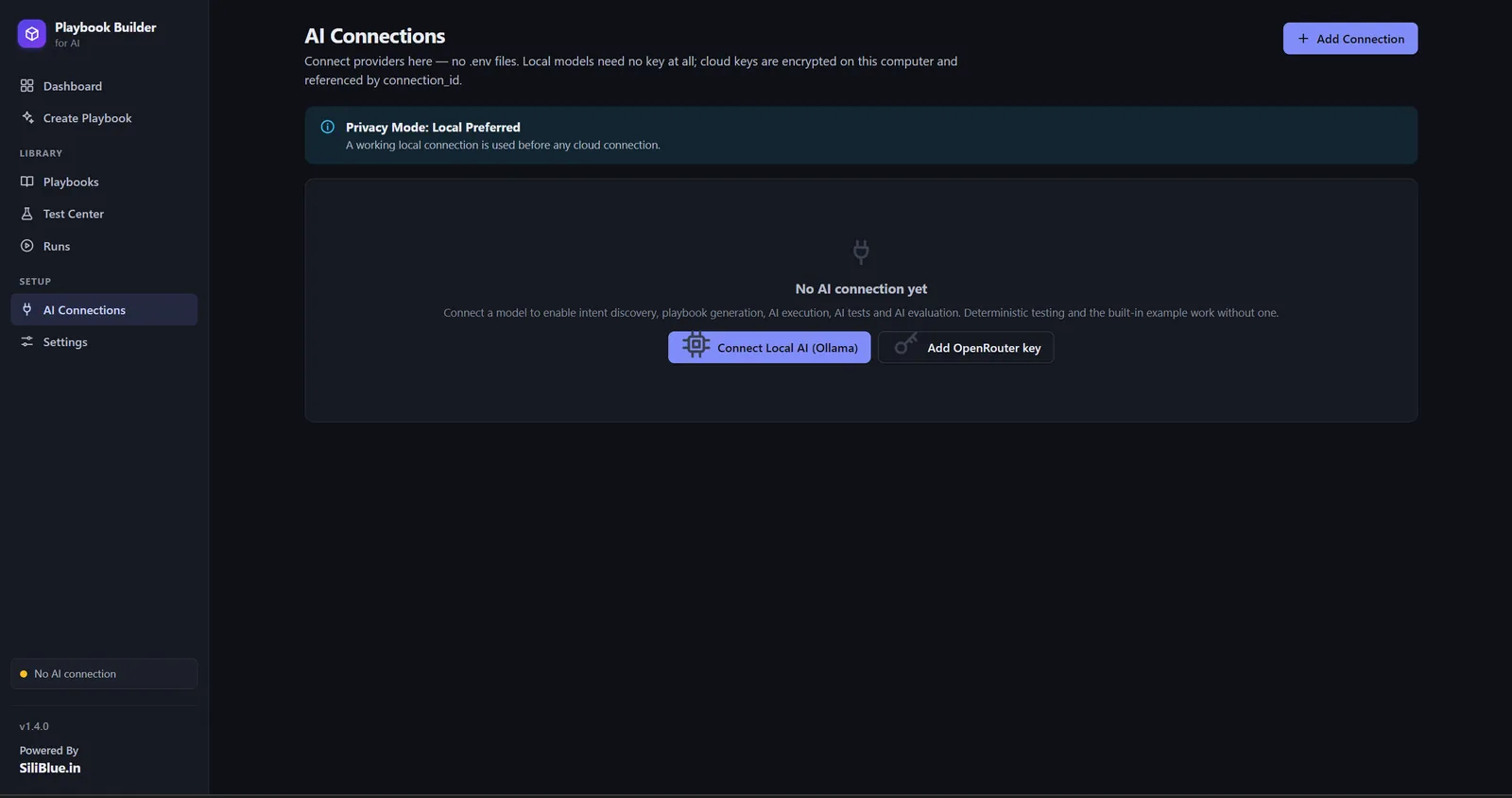
Paste an API key you own, or skip keys entirely and point PlayBook Builder at models running on your own computer. Keys are encrypted with AES-256-GCM, shown masked in the UI, and never written into a playbook, a workspace or an export. Same pipeline either way.
Local models: free, private, no key
Cloud providers: your key, your account
Privacy Mode has three positions: Cloud Allowed, Local Preferred, and Local Only, where the server refuses to add, test or use any cloud provider at all. With a working local connection, nothing ever leaves your machine.
Security posture
Designed so your data can stay put.
- Workspace stays localEvery playbook lives in a folder on your computer. Production runs only read runtime inputs; sample and test data are refused.
- Localhost onlyThe server binds to 127.0.0.1 by default, rejects foreign Host headers and blocks cross-origin writes.
- Keys stay encryptedAPI keys are encrypted with AES-256-GCM using a key file on your machine, and the browser only ever sees a masked value.
- Safe defaultsProduction Actions is off by default, Human Approval is on by default, and draft versions only ever run in the sandbox.
Quick start
Four steps. About a minute.
The same four steps on Windows, macOS and Linux: install Node.js 18.17 or newer from nodejs.org, then run two commands. There is nothing else to download: PlayBook Builder uses only what ships with Node.js, so npm install finishes in seconds. No database, no .env file.
Honest limits
What it is today.
- A single-user, local application: one person, one machine, no multi-tenant mode.
- Local-model support (Ollama and friends) is being finalized in the open; cloud BYOK providers work today.
- Generic tool bindings only: run input, HTTP requests and the current datetime. No built-in CRM or database connectors.
- Scheduled playbooks run only while the app is running.
The full README, including the API, configuration and the complete feature list, lives in the repo.
Liked what you just saw?
Want a customised solution like this?
You have seen the full experience: describe a goal, confirm the intent, compile, test, publish, execute. If you want the same for your business, with your data, your tools and your workflows, contact us today at [email protected] and we will build it with you.
Prefer open source? Star and clone github.com/siliblue-in/PlayBook-Builder